Web scraping product images has become essential for businesses, researchers, and developers working with e-commerce data, machine learning projects, and competitive analysis. This comprehensive guide covers everything you need to know about bulk image extraction, from technical implementation to legal considerations.
Understanding Web Image Extraction
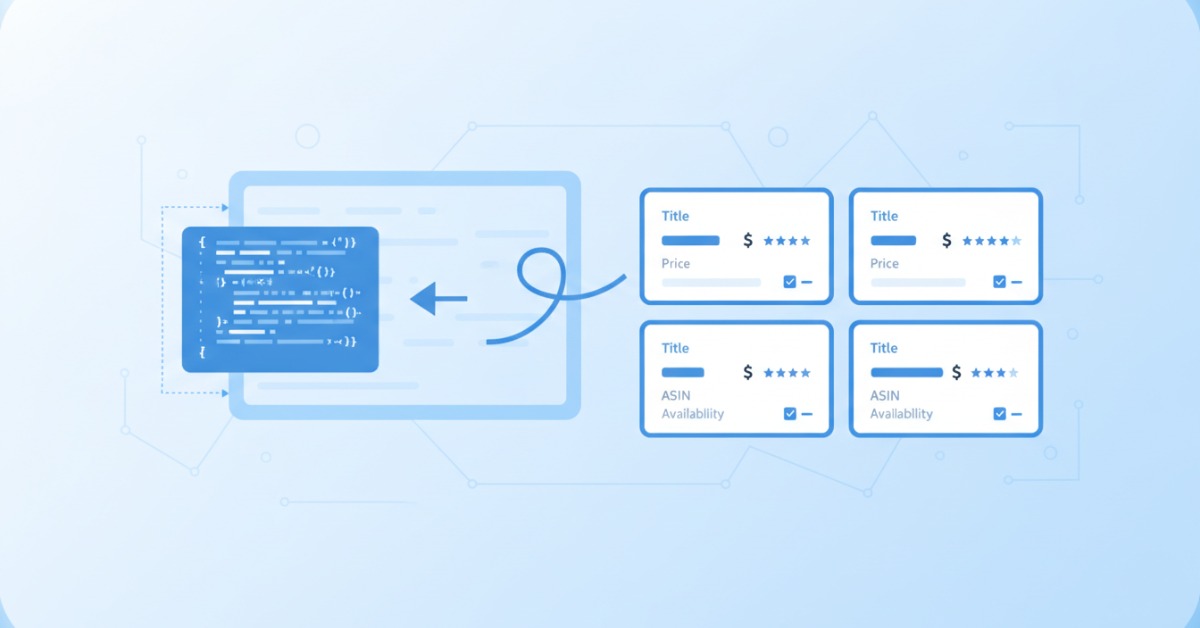
Web image extraction involves systematically downloading images from websites using automated tools and scripts. Unlike manual downloading, bulk image extraction can process thousands of images efficiently while maintaining organization and metadata consistency.
Common Use Cases for Image Scraping:
- E-commerce Analytics: Competitor product monitoring and price comparison
- Machine Learning: Building training datasets for computer vision models
- Market Research: Analyzing product trends and visual branding strategies
- Content Creation: Gathering reference materials and inspiration
- Academic Research: Collecting data for studies on visual culture and consumer behavior
Legal and Ethical Considerations
Before diving into technical implementation, understanding the legal landscape is crucial for responsible web scraping.
Key Legal Principles:
Robots.txt Compliance: Always check and respect the robots.txt file of target websites. This file indicates which parts of a site can be accessed by automated tools.
Terms of Service: Review website terms of service carefully. Many sites explicitly prohibit automated data collection.
Copyright Protection: Product images are typically copyrighted material. Understand fair use principles and consider how you plan to use extracted images.
Rate Limiting: Implement reasonable delays between requests to avoid overwhelming target servers.
Best Practices for Ethical Scraping:
- Identify yourself with proper User-Agent headers
- Implement respectful crawling speeds (1-2 second delays)
- Monitor server response codes and respect 429 (Too Many Requests) responses
- Consider reaching out to website owners for permission when appropriate
- Use scraped data responsibly and in compliance with applicable laws
Technical Approaches to Image Extraction
Method 1: Python-Based Solutions
Basic Image Scraping with Python:
import requests
from bs4 import BeautifulSoup
import os
from urllib.parse import urljoin, urlparse
import time

class ImageScraper:
    def __init__(self, base_url, output_dir):
        self.base_url = base_url
        self.output_dir = output_dir
        self.session = requests.Session()
        self.session.headers.update({
            'User-Agent': 'Mozilla/5.0 (Your Bot Name) ImageScraper/1.0'
        })

    def extract_images(self, page_url, max_images=100):
        try:
            response = self.session.get(page_url)
            response.raise_for_status()

            soup = BeautifulSoup(response.content, 'html.parser')
            img_tags = soup.find_all('img')

            downloaded = 0
            for img_tag in img_tags:
                if downloaded >= max_images:
                    break

                img_url = img_tag.get('src') or img_tag.get('data-src')
                if img_url:
                    full_url = urljoin(page_url, img_url)
                    if self.download_image(full_url):
                        downloaded += 1
                        time.sleep(1)  # Respectful delay

        except requests.RequestException as e:
            print(f"Error scraping {page_url}: {e}")

    def download_image(self, img_url):
        try:
            response = self.session.get(img_url, stream=True)
            response.raise_for_status()

            filename = os.path.basename(urlparse(img_url).path)
            if not filename or '.' not in filename:
                filename = f"image_{hash(img_url)}.jpg"

            filepath = os.path.join(self.output_dir, filename)

            with open(filepath, 'wb') as f:
                for chunk in response.iter_content(chunk_size=8192):
                    f.write(chunk)

            return True

        except Exception as e:
            print(f"Failed to download {img_url}: {e}")
            return False
Method 2: Selenium for Dynamic Content
Many modern e-commerce sites load images dynamically using JavaScript. Selenium provides a solution for these scenarios:
from selenium import webdriver
from selenium.webdriver.common.by import By
from selenium.webdriver.support.ui import WebDriverWait
from selenium.webdriver.support import expected_conditions as EC
import time

class DynamicImageScraper:
    def __init__(self, headless=True):
        options = webdriver.ChromeOptions()
        if headless:
            options.add_argument('--headless')
        options.add_argument('--no-sandbox')
        options.add_argument('--disable-dev-shm-usage')

        self.driver = webdriver.Chrome(options=options)

    def scrape_dynamic_images(self, url, scroll_pause=2):
        self.driver.get(url)

        # Scroll to load all images
        last_height = self.driver.execute_script("return document.body.scrollHeight")

        while True:
            self.driver.execute_script("window.scrollTo(0, document.body.scrollHeight);")
            time.sleep(scroll_pause)

            new_height = self.driver.execute_script("return document.body.scrollHeight")
            if new_height == last_height:
                break
            last_height = new_height

        # Extract image URLs
        img_elements = self.driver.find_elements(By.TAG_NAME, "img")
        image_urls = []

        for img in img_elements:
            src = img.get_attribute('src') or img.get_attribute('data-src')
            if src and src.startswith('http'):
                image_urls.append(src)

        return list(set(image_urls))  # Remove duplicates

    def close(self):
        self.driver.quit()
Professional Image Extraction Tools
While custom scripts provide flexibility, specialized tools often offer better efficiency and reliability for large-scale projects.
Enterprise-Grade Solutions
Professional image extraction tools provide several advantages over custom implementations:
Advanced Features:
- Smart Image Detection: Automatically identify product images vs. decorative elements
- Metadata Extraction: Capture alt text, captions, and contextual information
- Quality Filtering: Automatically exclude low-resolution or irrelevant images
- Duplicate Detection: Prevent downloading identical images multiple times
- Batch Processing: Handle multiple websites and categories simultaneously
Technical Benefits:
- Optimized Performance: Faster extraction speeds with parallel processing
- Error Handling: Robust retry mechanisms and failure recovery
- Proxy Management: Built-in proxy rotation for large-scale operations
- Format Standardization: Consistent naming conventions and organization
Compliance Features:
- Robots.txt Monitoring: Automatic compliance checking
- Rate Limiting: Intelligent request throttling
- Legal Documentation: Built-in compliance reporting and audit trails
Building Effective Image Datasets
Dataset Organization Strategies
Proper organization is crucial for usable image datasets:
product_images/
├── categories/
│   ├── electronics/
│   │   ├── smartphones/
│   │   ├── laptops/
│   │   └── accessories/
│   ├── fashion/
│   │   ├── men/
│   │   ├── women/
│   │   └── accessories/
├── metadata/
│   ├── image_catalog.json
│   ├── category_mapping.csv
│   └── extraction_log.txt
└── processed/
    ├── thumbnails/
    ├── normalized/
    └── augmented/
Quality Control Implementation
Automated Quality Checks:
- Resolution Filtering: Remove images below minimum size thresholds
- Content Validation: Detect and exclude non-product images
- Duplicate Detection: Use perceptual hashing to identify similar images
- Format Standardization: Convert images to consistent formats and sizes
Metadata Enrichment:
import json
from PIL import Image
import hashlib

class ImageMetadataManager:
    def __init__(self, dataset_path):
        self.dataset_path = dataset_path
        self.metadata = {}

    def analyze_image(self, image_path):
        with Image.open(image_path) as img:
            width, height = img.size

        file_size = os.path.getsize(image_path)

        # Calculate perceptual hash
        with open(image_path, 'rb') as f:
            file_hash = hashlib.md5(f.read()).hexdigest()

        return {
            'width': width,
            'height': height,
            'file_size': file_size,
            'format': img.format,
            'hash': file_hash,
            'aspect_ratio': round(width/height, 2)
        }

    def create_catalog(self):
        catalog = {}
        for root, dirs, files in os.walk(self.dataset_path):
            for file in files:
                if file.lower().endswith(('.jpg', '.jpeg', '.png', '.webp')):
                    file_path = os.path.join(root, file)
                    catalog[file_path] = self.analyze_image(file_path)

        return catalog
Scaling and Performance Optimization
Distributed Scraping Architecture
For large-scale image extraction projects, consider distributed approaches:
Multi-threaded Processing:
import concurrent.futures
import threading

class ThreadedImageScraper:
    def __init__(self, max_workers=5):
        self.max_workers = max_workers
        self.session_lock = threading.Lock()

    def scrape_urls_parallel(self, url_list):
        with concurrent.futures.ThreadPoolExecutor(max_workers=self.max_workers) as executor:
            future_to_url = {
                executor.submit(self.scrape_single_url, url): url
                for url in url_list
            }

            results = {}
            for future in concurrent.futures.as_completed(future_to_url):
                url = future_to_url[future]
                try:
                    result = future.result()
                    results[url] = result
                except Exception as exc:
                    print(f'{url} generated an exception: {exc}')

            return results
Performance Monitoring
Track extraction performance and adjust strategies accordingly:
Key Metrics:
- Images per hour: Measure extraction speed
- Success rate: Percentage of successful downloads
- Data quality: Resolution and relevance scores
- Server response times: Monitor target website performance
- Error patterns: Identify common failure points
Dataset Applications and Use Cases
Machine Learning Applications
Extracted image datasets serve various ML applications:
Computer Vision Projects:
- Object detection and classification models
- Visual similarity engines for recommendation systems
- Style transfer and generative AI applications
- Quality assessment and defect detection systems
Business Intelligence:
- Competitive product analysis and pricing strategies
- Market trend identification through visual analysis
- Brand monitoring and trademark protection
- Customer preference analysis through image engagement metrics
Research Applications
Academic and market research benefit significantly from systematic image collection:
Consumer Behavior Studies: Analyze visual preferences across demographics and regions
Cultural Analysis: Study visual trends and cultural representations in commercial imagery
Technology Assessment: Track evolution of product designs and features over time
Data Management and Storage
Storage Solutions
Choose appropriate storage based on dataset size and access patterns:
Local Storage: Suitable for smaller datasets (< 1TB) with infrequent access Cloud Storage: Ideal for large datasets requiring scalable access (AWS S3, Google Cloud Storage) CDN Integration: For datasets requiring fast global access and distribution
Backup and Versioning
Implement robust data protection strategies:
- Automated Backups: Regular incremental backups to prevent data loss
- Version Control: Track dataset changes and maintain historical versions
- Documentation: Comprehensive metadata about extraction sources and methods
Future Trends in Image Extraction
AI-Powered Extraction
Emerging technologies are enhancing image extraction capabilities:
Intelligent Content Recognition: AI models that understand context and relevance Automated Quality Assessment: Systems that evaluate image quality and commercial value Predictive Extraction: Tools that anticipate valuable content before it becomes widely available
Privacy-Preserving Techniques
Growing privacy concerns are driving new approaches:
Federated Learning: Training models without centralizing sensitive image data Differential Privacy: Adding noise to protect individual privacy in large datasets Synthetic Data Generation: Creating artificial but realistic product images
Conclusion
Web scraping product images requires balancing technical efficiency with legal and ethical considerations. Success depends on choosing the right tools for your specific needs, implementing robust quality controls, and maintaining compliance with relevant regulations.
Whether you're building machine learning datasets, conducting competitive analysis, or supporting research projects, the key principles remain consistent: respect website policies, implement thoughtful rate limiting, organize data systematically, and continuously monitor extraction quality.
Professional tools like CrawlFeeds image extraction platform can significantly streamline the process while ensuring compliance and data quality. For teams working with diverse image datasets, such comprehensive solutions often provide better ROI than custom implementations.
As the digital landscape continues evolving, staying informed about best practices, legal requirements, and emerging technologies will be crucial for successful image extraction projects. The investment in proper tools and methodologies pays dividends in data quality, compliance, and long-term project sustainability.
Looking for a dataset?
Browse hundreds of pre-built datasets from CrawlFeeds — ecommerce, reviews, fashion, news, and more. Free samples on every dataset.
Browse datasets Custom data request